
Virtual desktops (VDI, DaaS) and servers from Infosaic Cloud, since 2001

Guides / Technology and platform

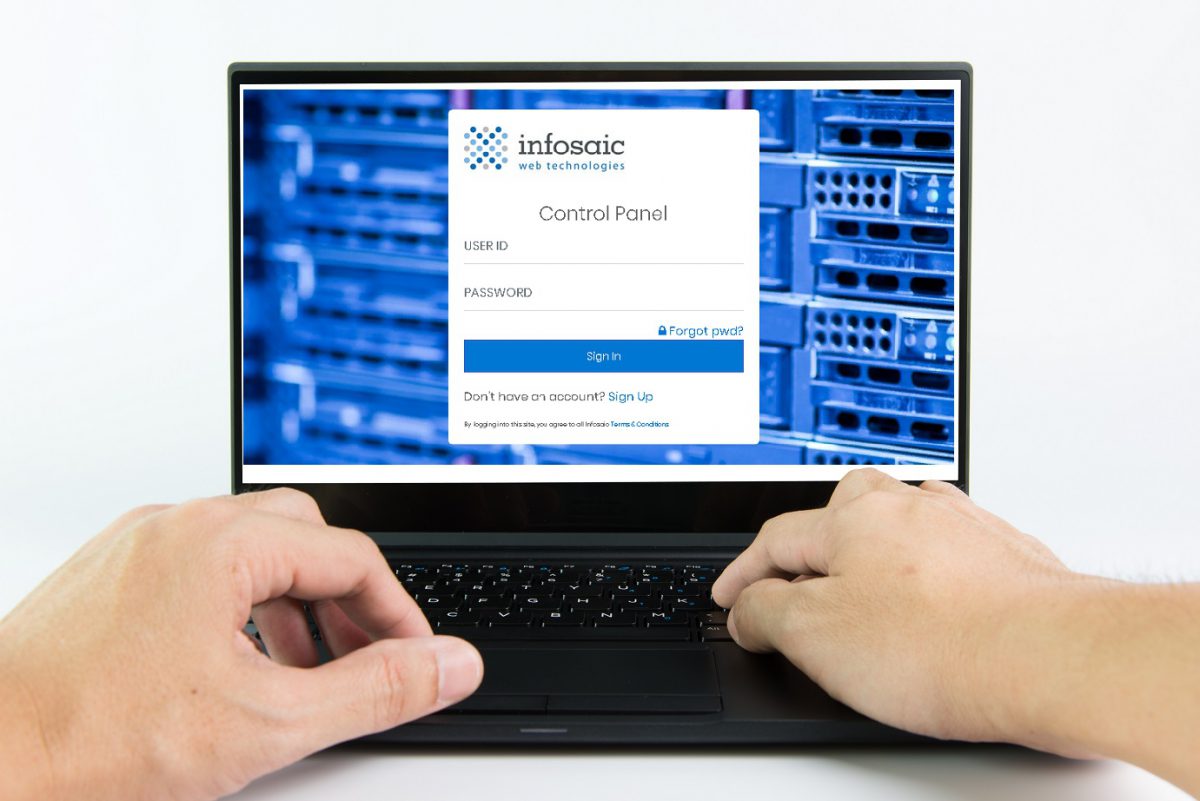
Infosaic has finished control panel re-design

How-to guide / 4 min read

[vc_row animation=""][vc_column animation=""][vc_empty_space][vc_raw_html]JTNDaHIlM0U=[/vc_raw_html][vc_empty_space][/vc_column][/vc_row][vc_row animation=""][vc_column width="1/2 animation=""][vc_single_image animation="" image="1399][/vc_column][vc_column width="1/2 animation=""][vc_column_text animation=""]

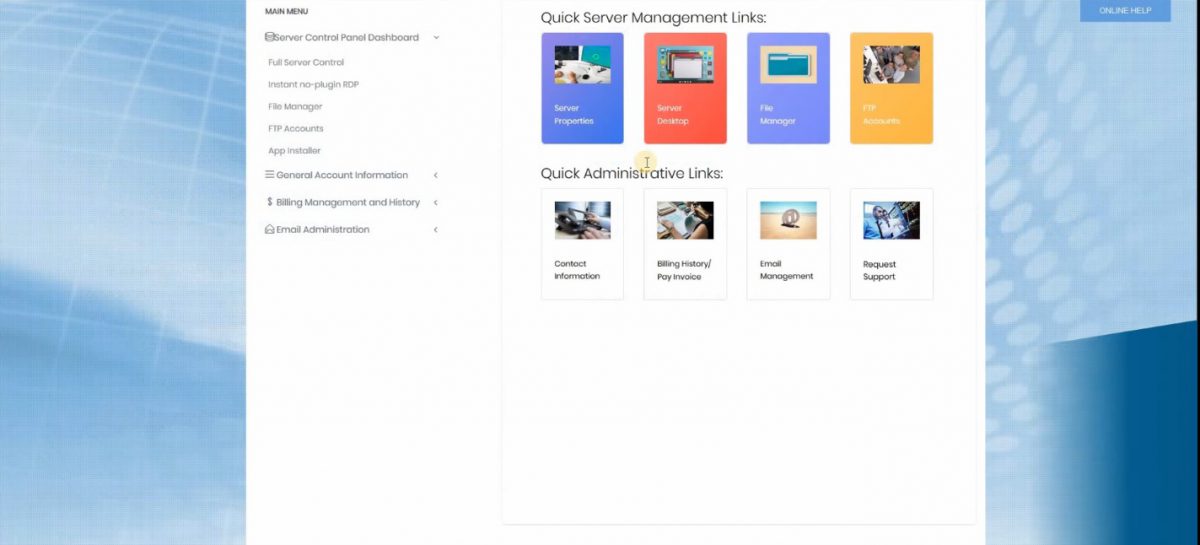
As some of you have noticed, our control panel went through some major design changes. These changes are not only cosmetic, but also enhance functionality. You can review some of the new features at the end of this post. Meanwhile, we're already working on additional improvements, some of which will be truly unique and significantly enhance clients' interactions with their hosting environments. Please stay tuned for further announcements.

[/vc_column_text][/vc_column][vc_column animation=""][vc_empty_space height="46px"][vc_raw_html]JTNDaHIlM0U=[/vc_raw_html][vc_empty_space height="46px"][/vc_column][/vc_row][vc_row animation=""][vc_column width="1/2 animation=""][vc_column_text animation=""]

TIP: if you do not see the latest functionality, please contact Support and we will transfer your site to the latest server that fully supports it. Here are some of the highlights:
[/vc_column_text][/vc_column][vc_column width="1/2 animation=""][vc_single_image animation="" image="1434][/vc_column][/vc_row][vc_row animation=""][vc_column animation=""][vc_zigzag][/vc_column][/vc_row][vc_row animation=""][vc_column animation=""][vc_empty_space height="48px"][/vc_column][/vc_row][vc_row animation=""][vc_column animation=""][/vc_column][/vc_row][vc_row animation=""][vc_column animation=""][vc_empty_space height="48px"][/vc_column][/vc_row][vc_row animation=""][vc_column animation=""][vc_raw_html]JTNDaHIlM0U=[/vc_raw_html][/vc_column][/vc_row][vc_row animation=""][vc_column width="1/2 animation=""][vc_raw_html]JTNDaWZyYW1lJTIwd2lkdGglM0QlMjI0MjAlMjIlMjBoZWlnaHQlM0QlMjIzMTUlMjIlMEFzcmMlM0QlMjJodHRwcyUzQSUyRiUyRnd3dy55b3V0dWJlLmNvbSUyRmVtYmVkJTJGYk53Uk5VMDRzTUklMjIlM0UlMEElM0MlMkZpZnJhbWUlM0U=[/vc_raw_html][/vc_column][vc_column width="1/2 animation=""][vc_column_text animation=""]

Logging in

Logging into the control panel and accessing advanced web functionality is much easier - everything is only a few clicks away.

[/vc_column_text][/vc_column][/vc_row][vc_row animation=""][vc_column animation=""][vc_raw_html]JTNDaHIlM0U=[/vc_raw_html][/vc_column][/vc_row][vc_row animation=""][vc_column width="1/2 animation=""][vc_column_text animation=""]

NEW FILE MANAGER

The new File Manager allows you to upload files without using FTP protocols, as well as zipping and unzipping files right on the server.

In addition, users can create directories, open up, and modify files right on the server, without downloading and uploading them first.

[/vc_column_text][/vc_column][vc_column width="1/2 animation=""][vc_raw_html]JTNDaWZyYW1lJTIwd2lkdGglM0QlMjI0MjAlMjIlMjBoZWlnaHQlM0QlMjIzMTUlMjIlMEFzcmMlM0QlMjJodHRwcyUzQSUyRiUyRnd3dy55b3V0dWJlLmNvbSUyRmVtYmVkJTJGeFM0dnphZ2VUam8lMjIlM0UlMEElM0MlMkZpZnJhbWUlM0U=[/vc_raw_html][/vc_column][/vc_row][vc_row animation=""][vc_column animation=""][vc_raw_html]JTNDaHIlM0U=[/vc_raw_html][/vc_column][/vc_row][vc_row animation=""][vc_column width="1/2 animation=""][vc_raw_html]JTNDaWZyYW1lJTIwd2lkdGglM0QlMjI0MjAlMjIlMjBoZWlnaHQlM0QlMjIzMTUlMjIlMEFzcmMlM0QlMjJodHRwcyUzQSUyRiUyRnd3dy55b3V0dWJlLmNvbSUyRmVtYmVkJTJGRUFsY1NjUkJ2QW8lMjIlM0UlMEElM0MlMkZpZnJhbWUlM0U=[/vc_raw_html][/vc_column][vc_column width="1/2 animation=""][vc_column_text animation=""]

WEB SERVER CONTROLS

Users can now modify pretty much every aspect of web server operations, such as adding virtual directories, setting up custom MIME types, changing application pools, and modifying default documents. The video below demonstrates how easily you can modify the default document.

[/vc_column_text][/vc_column][/vc_row][vc_row animation=""][vc_column animation=""][vc_raw_html]JTNDaHIlM0U=[/vc_raw_html][/vc_column][/vc_row][vc_row animation=""][vc_column width="1/2 animation=""][vc_column_text animation=""]

INSTALLING WORDPRESS

Advanced functionality, such as installing WordPress or other content management tools, can be achieved in just a few minutes with a few clicks of your mouse. No special technical skills are required.

[/vc_column_text][/vc_column][vc_column width="1/2 animation=""][vc_raw_html]JTNDaWZyYW1lJTIwd2lkdGglM0QlMjI0MjAlMjIlMjBoZWlnaHQlM0QlMjIzMTUlMjIlMEFzcmMlM0QlMjJodHRwcyUzQSUyRiUyRnd3dy55b3V0dWJlLmNvbSUyRmVtYmVkJTJGWkh6cmZQY3pXTVklMjIlM0UlMEElM0MlMkZpZnJhbWUlM0U=[/vc_raw_html][/vc_column][/vc_row][vc_row animation=""][vc_column animation=""][vc_raw_html]JTNDaHIlM0U=[/vc_raw_html][/vc_column][/vc_row][vc_row animation=""][vc_column width="1/2 animation=""][vc_raw_html]JTNDaWZyYW1lJTIwd2lkdGglM0QlMjI0MjAlMjIlMjBoZWlnaHQlM0QlMjIzMTUlMjIlMEFzcmMlM0QlMjJodHRwcyUzQSUyRiUyRnd3dy55b3V0dWJlLmNvbSUyRmVtYmVkJTJGTXdySExyd08xWUklMjIlM0UlMEElM0MlMkZpZnJhbWUlM0U=[/vc_raw_html][/vc_column][vc_column width="1/2 animation=""][vc_column_text animation=""]

BACKUP DATABASE

The process of backing up your database has been simplified to achieve ease of use. With just a few clicks on your control panel, you can effectively back up your database any time, whatever the reason. You can also download the backup files to your environment, for extra security.

[/vc_column_text][/vc_column][/vc_row][vc_row animation=""][vc_column animation=""][vc_raw_html]JTNDaHIlM0U=[/vc_raw_html][/vc_column][/vc_row][vc_row animation=""][vc_column width="1/2 animation=""][vc_column_text animation=""]

RESTORE DATABASE

Database restoration has been simplified as well. At any point of time, a backup file can be effectively restored right from the control panel, whether the source file is on your site or uploaded from another computer or network.

[/vc_column_text][/vc_column][vc_column width="1/2 animation=""][vc_raw_html]JTNDaWZyYW1lJTIwd2lkdGglM0QlMjI0MjAlMjIlMjBoZWlnaHQlM0QlMjIzMTUlMjIlMEFzcmMlM0QlMjJodHRwcyUzQSUyRiUyRnd3dy55b3V0dWJlLmNvbSUyRmVtYmVkJTJGREcySHN4ejgwamclMjIlM0UlMEElM0MlMkZpZnJhbWUlM0U=[/vc_raw_html][/vc_column][/vc_row][vc_row animation=""][vc_column animation=""][vc_raw_html]JTNDaHIlM0U=[/vc_raw_html][/vc_column][/vc_row][vc_row animation=""][vc_column width="1/2 animation=""][vc_raw_html]JTNDaWZyYW1lJTIwd2lkdGglM0QlMjI0MjAlMjIlMjBoZWlnaHQlM0QlMjIzMTUlMjIlMEFzcmMlM0QlMjJodHRwcyUzQSUyRiUyRnd3dy55b3V0dWJlLmNvbSUyRmVtYmVkJTJGZUtmaUo1eFU0eDQlMjIlM0UlMEElM0MlMkZpZnJhbWUlM0U=[/vc_raw_html][/vc_column][vc_column width="1/2 animation=""][vc_column_text animation=""]

ADDING DATABASE USERS

Realistic database management requires adding/modifying/deleting users. The new version of the control panel allows Infosaic clients to easily add users.

Please review this video to see how it works.

[/vc_column_text][/vc_column][/vc_row][vc_row animation=""][vc_column animation=""][vc_raw_html]JTNDaHIlM0U=[/vc_raw_html][/vc_column][/vc_row][vc_row animation=""][vc_column width="1/2 animation=""][vc_column_text animation=""]

CREATE DATABASE

The new control panel simplifies the process of adding a database to just a few simple steps.

[/vc_column_text][/vc_column][vc_column width="1/2 animation=""][vc_raw_html]JTNDaWZyYW1lJTIwd2lkdGglM0QlMjI0MjAlMjIlMjBoZWlnaHQlM0QlMjIzMTUlMjIlMEFzcmMlM0QlMjJodHRwcyUzQSUyRiUyRnd3dy55b3V0dWJlLmNvbSUyRmVtYmVkJTJGVDhXcjRTMWs2c0ElMjIlM0UlMEElM0MlMkZpZnJhbWUlM0U=[/vc_raw_html][/vc_column][/vc_row]

A desktop of its own, delivered instantly

Four packages from $11.95 a month on a server-class host, with a dedicated public IP, unmetered traffic and administrator rights. The login is in your inbox the moment you sign up.

An AI agent working at its own Windows desktop