
Virtual desktops (VDI, DaaS) and servers from Infosaic Cloud, since 2001

Resources / Announcements

SSL Announcements

Infosaic Technologies / 14 December 2017 / 1 min read

[vc_row animation=""][vc_column animation=""][vc_column_text animation=""]Encrypt, encrypt, encrypt. It is a known fact that google favors encrypted sites over non-encrypted ones.

In order to help our clients, we are offering the possibility to encrypt your site for free. Just click on the following button in the control panel and let us do the magic.

(click here if you wish to read as to how it is actually done)

A few follow-up questions:

If I have SSL should I discard it, and stay with the Infosaic SSL(er)?

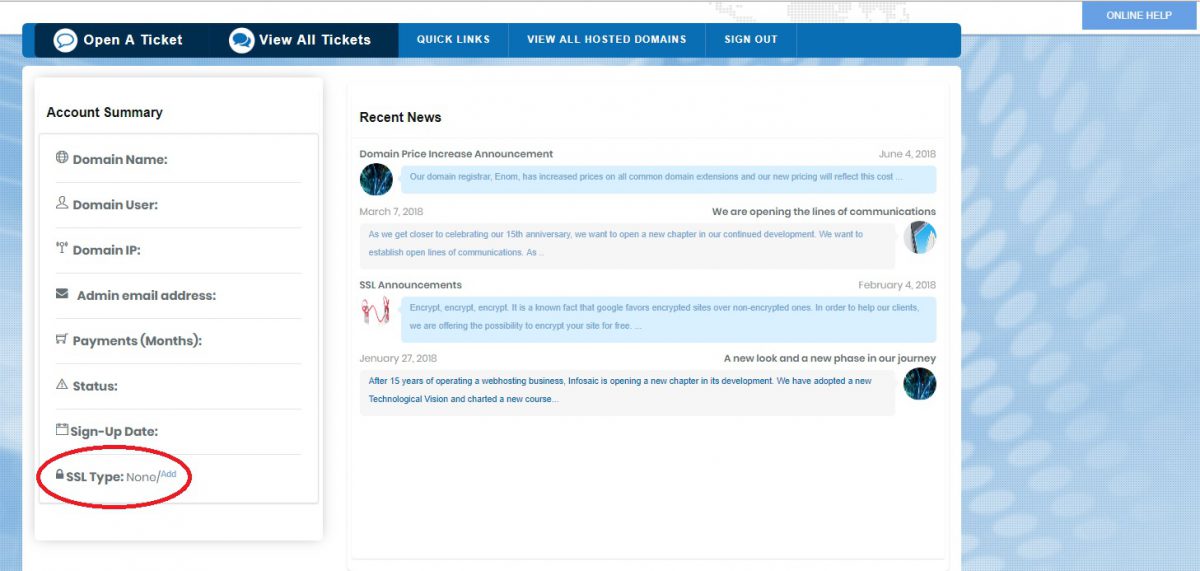
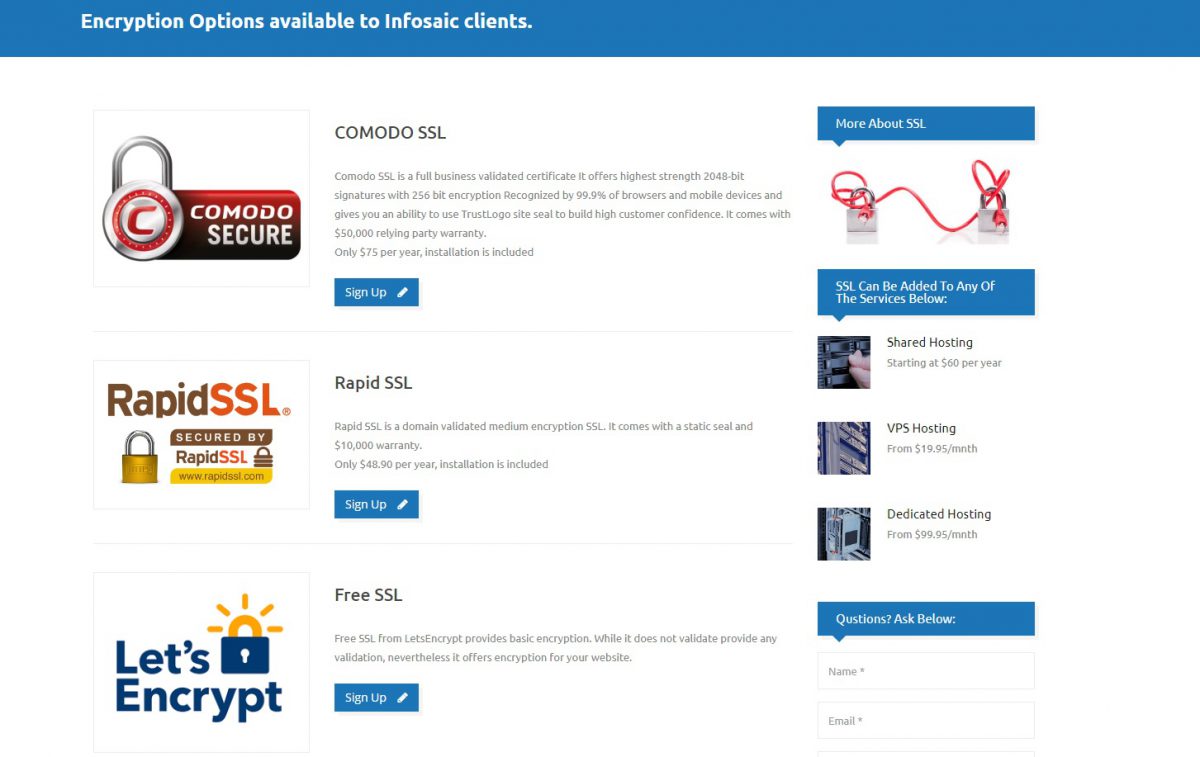
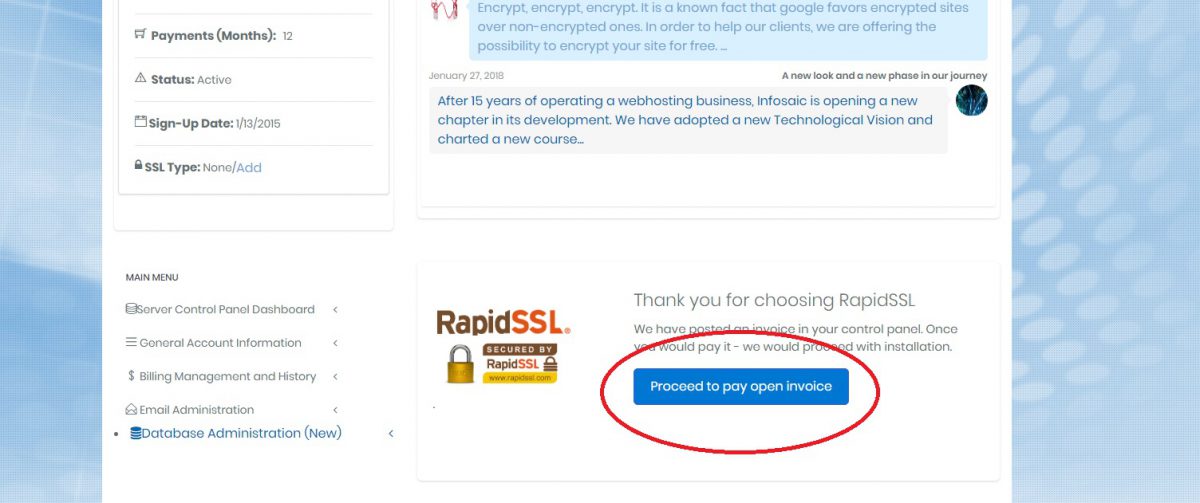
Although you could do it, both of our paid solutions offer a significant advantage because they are validated against either organization or domain. That brings an extra level of confidence as consumers favor it over free encrypted, but not third-party validated solutions.[/vc_column_text][/vc_column][/vc_row][vc_row animation=""][vc_column animation=""][vc_column_text animation=""]Step 1: Login to Control Panel and find "SSL Type: None/Add" on the left[/vc_column_text][/vc_column][/vc_row][vc_row animation=""][vc_column animation=""][vc_single_image animation="" image="1432][/vc_column][/vc_row][vc_row animation=""][vc_column animation=""][vc_column_text animation=""]Step 2: Click on "Add" portion and you will be redirected to SSL page[/vc_column_text][/vc_column][/vc_row][vc_row animation=""][vc_column animation=""][vc_single_image animation="" image="1434][/vc_column][/vc_row][vc_row animation=""][vc_column animation=""][vc_column_text animation=""]Step 3: From the 3 SSL options, choose one and click "Sign up", then Pay the invoice and we'll start the process.[/vc_column_text][/vc_column][/vc_row][vc_row animation=""][vc_column animation=""][vc_single_image animation="" image="1436][/vc_column][/vc_row]

A desktop of its own, delivered instantly

Four packages from $11.95 a month on a server-class host, with a dedicated public IP, unmetered traffic and administrator rights. The login is in your inbox the moment you sign up.

An AI agent working at its own Windows desktop