
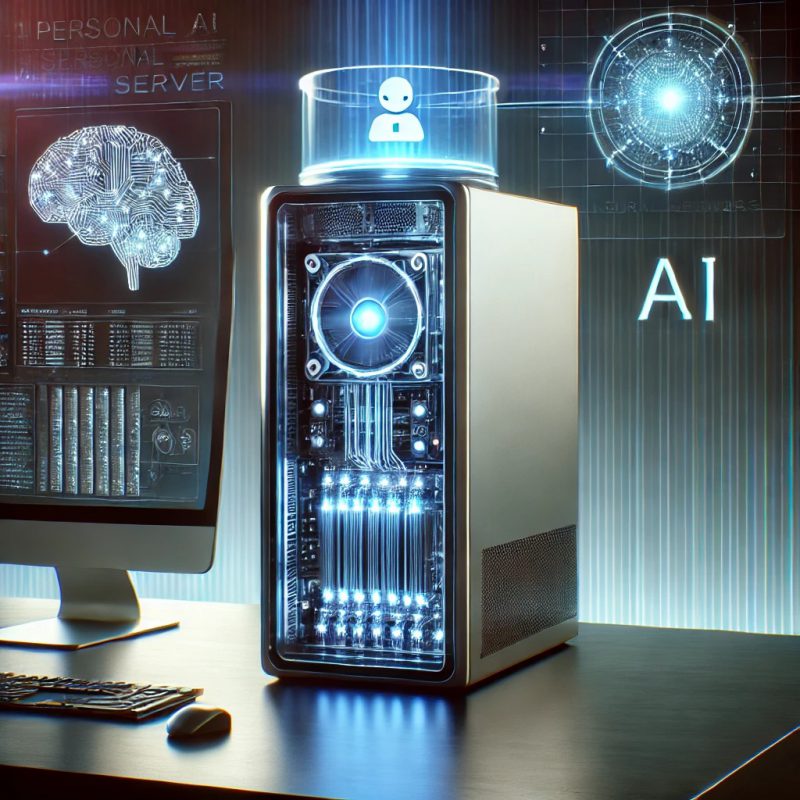
Your AI Agent Needs Its Own Computer — and That’s Not as Strange as It Sounds
We’ve been in the hosting business since 2001. We’ve seen plenty of technology shifts. But the requests we’ve been getting lately are genuinely new: customers asking us to set up a Virtual Desktop not for a person, but for an AI agent. At first it seemed odd. Now, a few months in, it makes perfect sense — and we think this is a trend that’s about to go mainstream.
What’s Actually Happening
Over the past year, AI agents have evolved from chatbots that answer questions into autonomous systems that can control a computer. Claude from Anthropic now has Computer Use and Cowork — features that let it take screenshots of your desktop, move your mouse, click buttons, type into applications, and navigate your browser. OpenAI’s ChatGPT Agent does similar work in a cloud sandbox. Perplexity launched Computer in February 2026 with full autonomous task execution. Open-source projects like OpenClaw give you the same capabilities on your own hardware.
These aren’t hypothetical research demos anymore. People are using them to process invoices in QuickBooks, compile weekly reports from Slack and email, manage spreadsheets, run data analysis, handle repetitive filing, and automate workflows across multiple desktop applications.
But here’s the problem that nobody talks about in the press releases: where does this AI agent actually run?
The Problem with Running an AI Agent on Your Own Computer
The most natural instinct is to let the AI agent use your primary machine. It’s right there. It already has all your apps installed. Why not? Three reasons — and we hear them from customers every week.
Your computer is for you, not the AI. An AI agent that’s automating a workflow needs the desktop to itself. It’s taking screenshots. It’s clicking things. It’s typing into fields. If you’re trying to write an email while your AI agent is simultaneously navigating QuickBooks in another window, you’re going to collide. One of you will click the wrong thing. The experience is like sharing a single keyboard with a very fast, very focused coworker who doesn’t look up.
In practice, most people who run AI agents on their primary machine end up walking away from the computer while it works. That defeats the purpose of having a computer at all — you’ve just donated your machine to the AI for 20 minutes.
The AI agent needs a different setup than you do. Your daily desktop is configured for your workflow — your browser bookmarks, your email client, your saved passwords, your notification preferences. An AI agent doesn’t need any of that. What it needs is a clean, focused environment with only the specific applications it’s going to interact with, configured in a way that’s optimized for automation, not human comfort.
This is the same reason you wouldn’t run a production database on your laptop. The workload has different requirements than your personal computing. The AI agent is, in effect, a different user with a different job.
Privacy and security — this is the one that really matters. When you give an AI agent access to your desktop, you’re giving it access to everything on your desktop. Your browser with saved passwords. Your email client with every message you’ve ever received. Your file system with tax documents, contracts, and personal photos. Your password manager. Your banking apps.
Anthropic’s own documentation is explicit about this risk. They recommend running Computer Use in sandboxed environments — virtual machines or containers with no saved credentials. Their safety guidance warns that prompt injection vulnerabilities become OS-level vulnerabilities when an AI agent controls your mouse and keyboard. A malicious instruction hidden in a webpage or email that the agent reads can cause it to act on your real system.
This isn’t theoretical. Security researchers have already demonstrated scenarios where a hidden instruction in a Google Calendar event triggered arbitrary code execution through an AI agent. When the agent has access to your real desktop, the blast radius extends to everything you can access.
The Solution: Give Your AI Agent Its Own Virtual Desktop
This is where the requests we’ve been fielding at Infosaic Technologies start to make sense. A Virtual Desktop — a full Windows environment running in the cloud, accessible from any device — is the natural home for an AI agent. Here’s why.
Complete isolation. The Virtual Desktop runs on separate infrastructure. It has no access to your personal files, your password manager, your email, or your banking. If the AI agent encounters a prompt injection or behaves unexpectedly, the damage is contained to a disposable environment. Your primary machine is untouched.
Always-on availability. A cloud Virtual Desktop doesn’t sleep when you close your laptop. AI agents that run scheduled tasks — checking email every morning, compiling reports every Friday, monitoring a dashboard for changes — need a machine that’s always available. Your laptop isn’t. A Virtual Desktop is.
Purpose-built configuration. You set up the Virtual Desktop with only the applications the AI agent needs. QuickBooks. A specific browser profile with only the bookmarks and logins the agent should access. The relevant Office apps. Nothing else. No distractions, no personal data leaking into the AI’s context window.
Snapshots and rollback. If the AI agent makes a mistake — installs something it shouldn’t, corrupts a file, gets into a bad state — you can roll the Virtual Desktop back to a clean snapshot in minutes. Try doing that with your primary machine.
Predictable cost. A dedicated cloud Virtual Desktop for an AI agent costs a fixed amount per month. You know what you’re paying. Compare that to running agents on Azure or AWS hourly instances where billing is metered and unpredictable — exactly the kind of cost surprise that trips up small businesses.
What This Looks Like in Practice
The typical setup we’re seeing from our customers follows a straightforward pattern. The customer signs up for a Virtual Desktop — a standard Windows environment in the cloud. They install the specific applications the AI agent will interact with: usually an accounting package, an Office suite, or a line-of-business application. They configure the AI agent — whether it’s Claude, ChatGPT Agent, or another tool — to connect to that Virtual Desktop rather than their personal machine. The agent works in its own isolated world, and the customer accesses results through shared files, reports, or direct inspection of the Virtual Desktop when needed.
Some customers maintain two Virtual Desktops: one for their own daily work (accessed from a Chromebook, a Mac, or a thin client), and one dedicated to the AI agent. The cost difference between a single desktop and two is modest — and the separation of concerns is worth every dollar.
Who’s Doing This?
The customers asking for this aren’t the ones you might expect. It’s not large enterprises with dedicated IT teams. It’s the people who stand to benefit the most from AI automation but have the most to lose from doing it carelessly:
Solo accountants and bookkeepers who use Claude to process client documents but don’t want client financial data exposed to an AI agent running on the same machine where they do personal banking.
Small law firms that need AI-assisted document review but have ethical obligations to keep client data in controlled environments.
Freelancers and consultants who want AI automation for repetitive tasks but only have one laptop and need it for client calls while the AI works.
Remote workers who want to experiment with AI agents but don’t want to risk their work machine’s stability or expose corporate data.
The common thread: they understand that AI is powerful, they want to use it, and they’re thoughtful enough to recognize that their primary computer isn’t the right place to let an autonomous system operate.
Why This Trend Is Just Getting Started
Three things are converging to accelerate this.
AI agents are getting more capable, not less. Every major AI company is investing heavily in computer-use capabilities. Claude’s Cowork and Dispatch features now let you assign tasks from your phone while the AI works on a desktop autonomously. OpenAI, Google, and open-source projects are all moving in the same direction. The number of tasks an AI agent can handle on a desktop is going to keep growing — and so will the need for a dedicated machine for it to work on.
Security awareness is catching up. The early adopter phase, where people happily gave AI agents full access to their primary machine, is giving way to a more measured approach. Anthropic’s own security documentation now explicitly recommends isolated environments. As more people read those warnings and internalize them, the demand for dedicated AI environments will grow.
The economics work. A Virtual Desktop dedicated to an AI agent doesn’t need to be expensive. It doesn’t need a high-end GPU. It doesn’t need 32 GB of RAM. It needs a reliable Windows environment, the right applications installed, and always-on availability. That’s exactly the kind of workload that affordable, managed Virtual Desktops are designed for. The monthly cost of a dedicated AI-agent desktop is likely less than the subscription fee for the AI service itself.
What We’ve Learned So Far
We’re still early in this trend — we started seeing these requests only recently, and we’re learning alongside our customers. A few things we’ve picked up.
Simplicity wins. Customers don’t want to configure Azure, spin up VMs, manage networking, or deal with hourly billing. They want a ready-to-use Windows desktop in the cloud with a flat monthly price. The less infrastructure management involved, the better.
The AI agent is a second employee, not a second browser tab. The mental model that works best is thinking of the AI agent as a junior team member who needs their own workstation. You wouldn’t give a new hire access to your personal laptop with all your passwords saved. You’d set them up with their own machine with appropriate access. Same principle applies.
This isn’t just about security — it’s about focus. The separation of “my computer” from “the AI’s computer” lets people stay productive while the AI works. It sounds obvious, but the psychological benefit of not having an autonomous agent clicking around on the machine you’re using is real.
The age of AI agents controlling desktops is here. The question isn’t whether you’ll use one — it’s whether you’ll let it loose on your personal machine, or give it the dedicated workspace it deserves.
At Infosaic Technologies, we’ve been delivering managed Windows desktops in the cloud since 2001. If you’re considering a dedicated Virtual Desktop for an AI agent — or for yourself — we offer transparent pricing, real human support, and desktops that just work. Visit infosaic.com to learn more.